Free Chrome extension · syncs across devices
Too many tabs? Put them on the shelf.
TabShelf saves all your open tabs into a tidy list with one click, frees up memory, and syncs your saved tabs across all your devices.
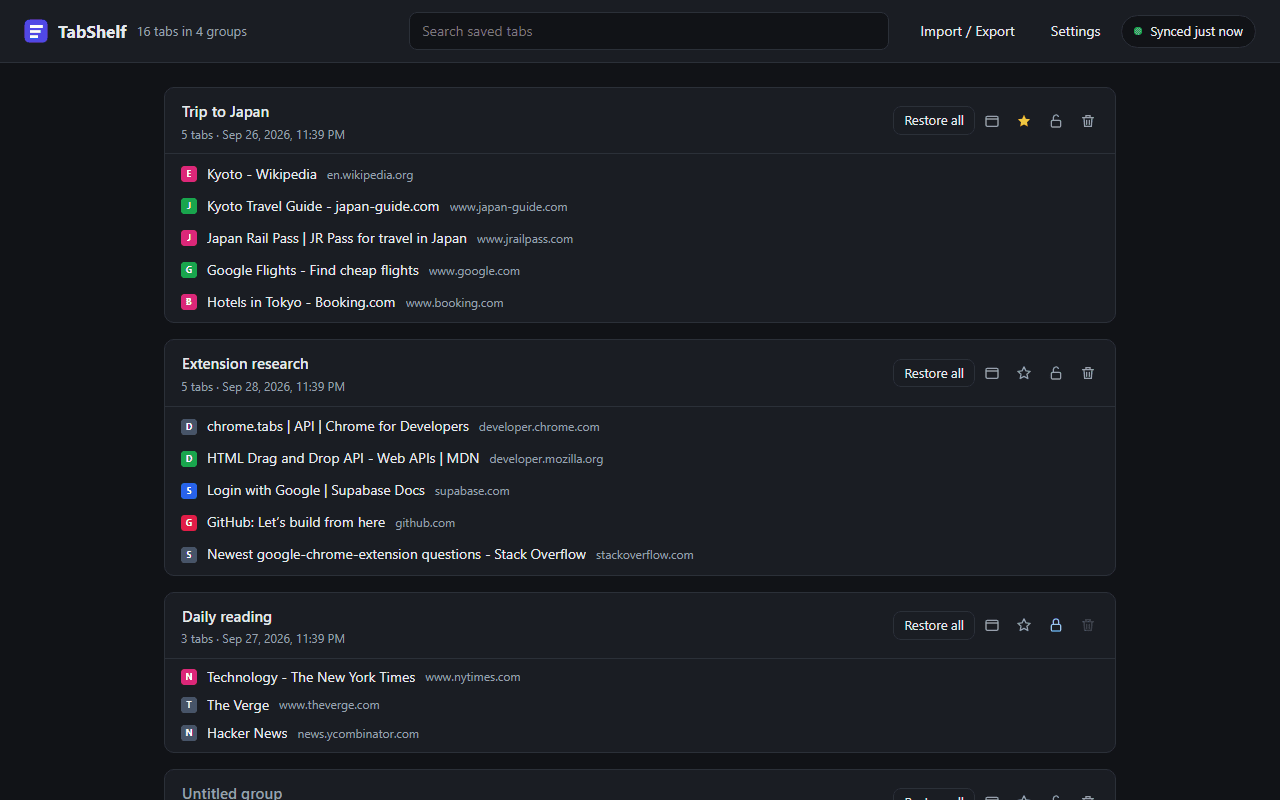
Everything your tabs need, nothing they don't
Save now, sort later. TabShelf keeps the tabs you want without keeping your browser busy.
One click to clear the window
Click the toolbar button and every tab in the window is saved into a group and closed. Right-click for just this tab, tabs to the left or right, or every window.
Restore when you're ready
Reopen a single tab with a click, or bring back a whole group into this window or a new one. Ctrl-click to open a tab and keep it on the shelf.
Groups that stay organised
Name your groups, star the important ones to pin them to the top, and lock the ones you never want to lose.
Drag and drop
Reorder tabs, move them between groups, or drop one onto the new-group bar to start a fresh group.
Instant search
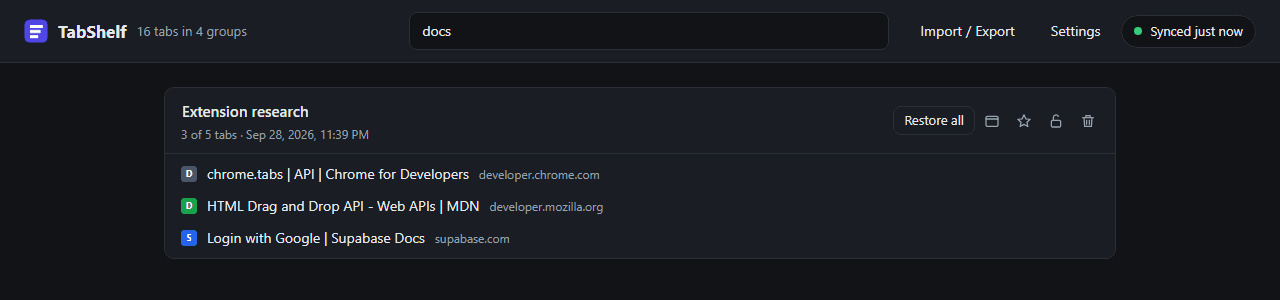
Find any saved tab by title or address as you type. Press / from anywhere on the page to jump straight to search.
No duplicates
Tabs you've already saved are skipped automatically, and one click cleans up any duplicates that are already there.
How it works
- 1
Click TabShelf
Hit the button in your toolbar when your tab bar gets out of hand.
- 2
Tabs go on the shelf
They're saved into a group and closed, and your browser gets its memory back.
- 3
Pick up where you left off
Restore a tab or a whole group whenever you need it, on any of your devices.
Your shelf, on every computer
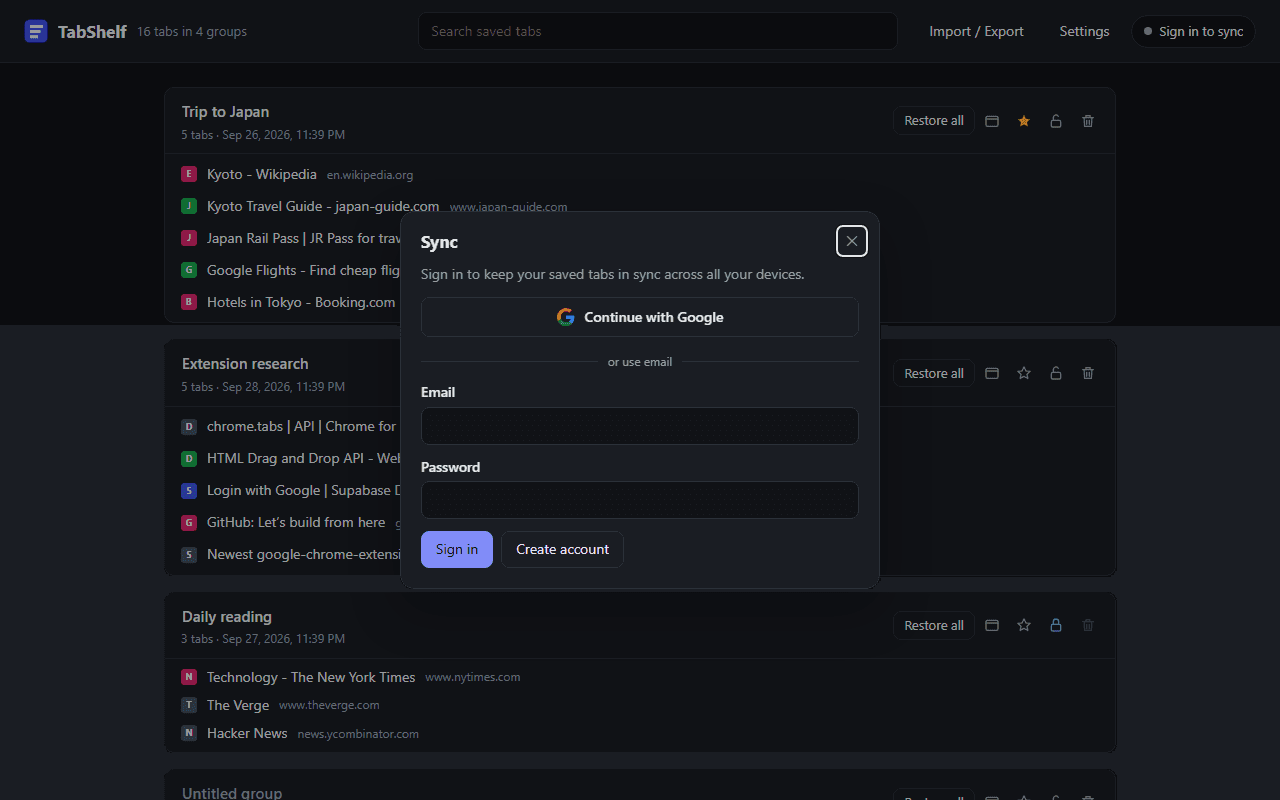
Save tabs at work, pick them up at home. Sign in once and your saved tabs stay in sync everywhere.
- Continue with Google, or use your email
- Works offline; changes sync when you're back online
- Your data is only accessible to your account
- Delete your account and all synced data anytime
Questions
Is TabShelf free?
Yes. TabShelf is free to use, with no ads.
Do I need an account?
No. TabShelf works fully on its own, offline and without signing in. An account is only needed if you want your saved tabs to sync between devices.
What happens to my data?
Your saved tabs stay in your browser. If you sign in to sync, they are stored in TabShelf's database, and only your account can access them. We don't read page contents, track browsing, sell data or show ads. See the privacy policy for details.
I use OneTab. Can I bring my tabs over?
Yes. In OneTab choose Export URLs, copy the text, then paste it into TabShelf's Import / Export window. Your groups come across as they were, and you can export back to the same format at any time.
Does it work in Edge, Brave and other browsers?
TabShelf is built for Chrome and works in Chromium-based browsers that can install extensions from the Chrome Web Store, such as Edge and Brave.
How do I delete my account?
Open TabShelf, click the sync status button in the top right, then choose Delete account. Your account and all synced tabs are removed from our servers immediately.
Give your browser some breathing room
Put today's tabs on the shelf and come back to them whenever you like.